Как добавить банковские реквизиты, чтобы клиенты могли платить?
Обновлено 8 октября 2026 г.
Сохраните IBAN в разделе Настройки → Аккаунт → Банковские реквизиты. После этого на счетах появится банковский QR-код.
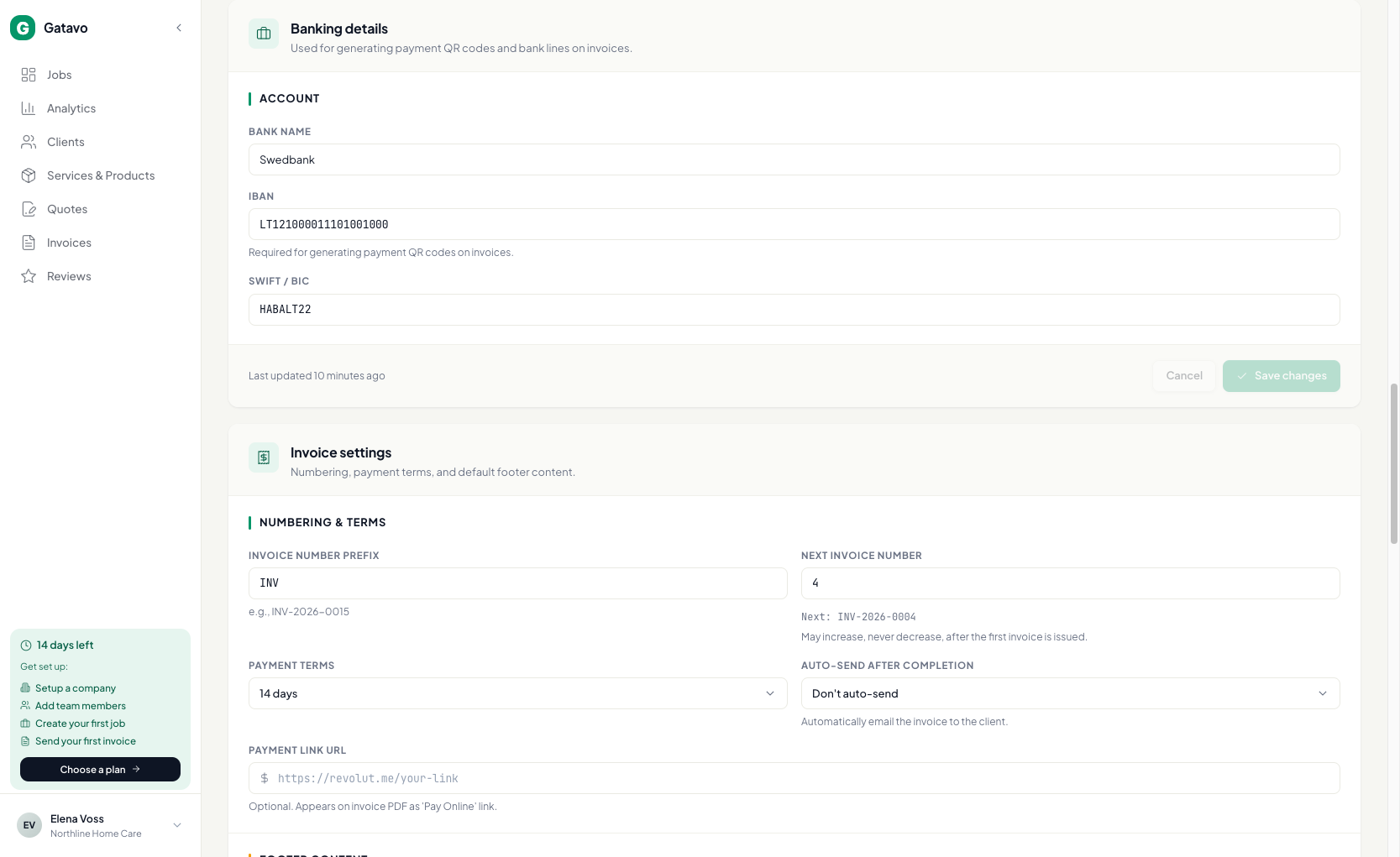
- Откройте Настройки → Аккаунт.
- Прокрутите до раздела Банковские реквизиты.
- Укажите Название банка и IBAN. Поле SWIFT / BIC заполнять необязательно.
- Нажмите Сохранить изменения.
Необязательно: в разделе Настройки счетов добавьте URL ссылки для оплаты, если также хотите показывать ссылку Оплатить онлайн.
Только для модели «Раздел дохода»
IBAN каждого подрядчика хранится в разделе Настройки → Команда, в его Платёжный профиль.