Как включить автоматические запросы отзывов?
Обновлено 8 октября 2026 г.
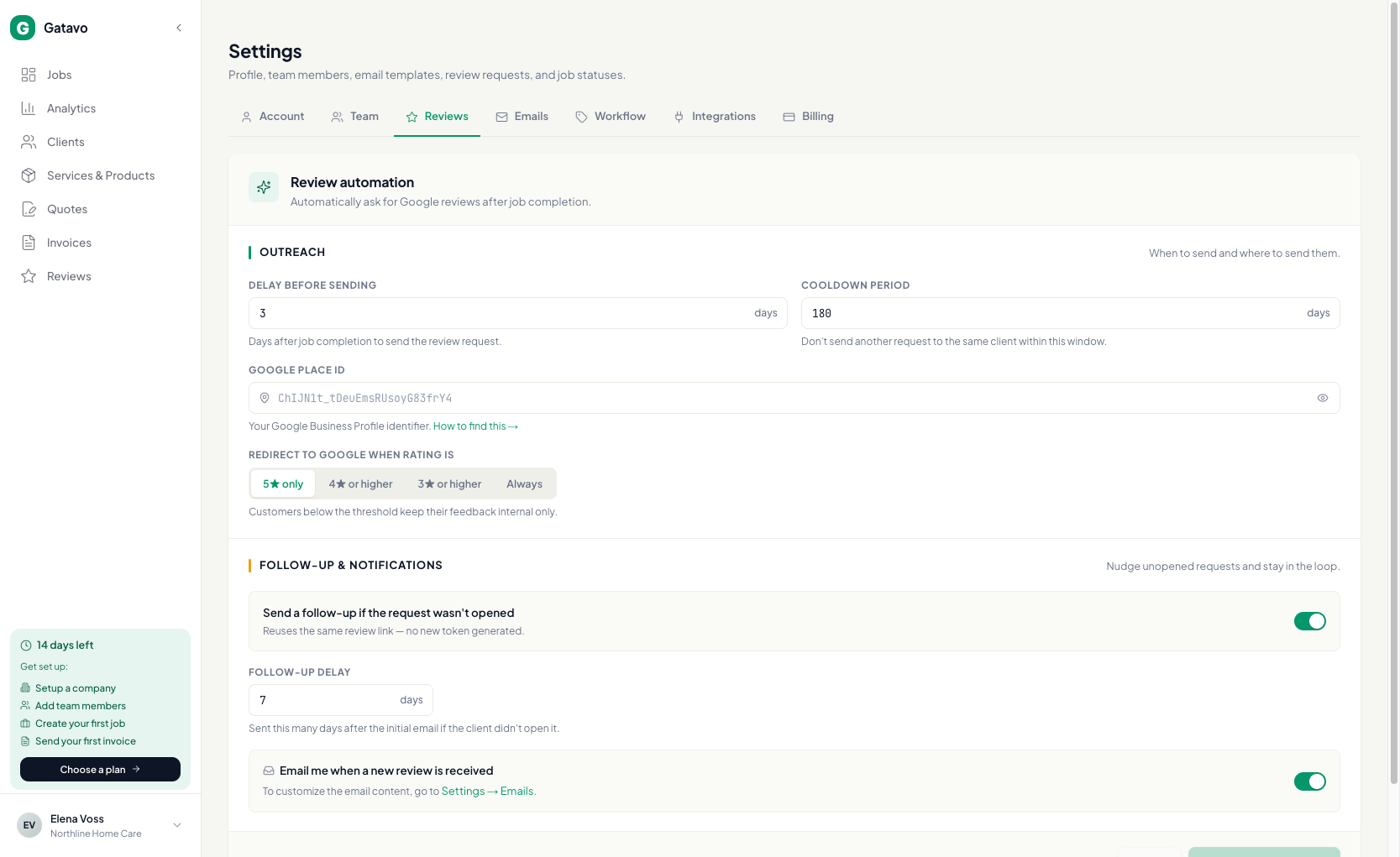
Откройте Настройки → Отзывы. Настройте задержку, период ожидания, Google Place ID и правило оценки. Сохраните.
Для автоотправки нужен Pro. На Starter можно отправлять отдельные запросы вручную.
- Нажмите Настройки → Отзывы.
- Укажите Задержка перед отправкой (число дней после завершения заявки).
- Задайте Период ожидания, чтобы один клиент не получил новый запрос слишком быстро.
- Вставьте Google Place ID. Если нужна помощь, выберите Как это найти →.
- Настройте Перенаправлять в Google, когда оценка (только 5★, 4★ и выше, 3★ и выше или всегда).
- Необязательно: включите повторное письмо и Сообщать мне по эл. почте о новом отзыве.
- Нажмите Сохранить настройки отзывов.
На Starter можно отправлять отдельные запросы вручную. См. Как вручную запросить один отзыв?.