Как изменить письма клиентам?
Обновлено 8 октября 2026 г.
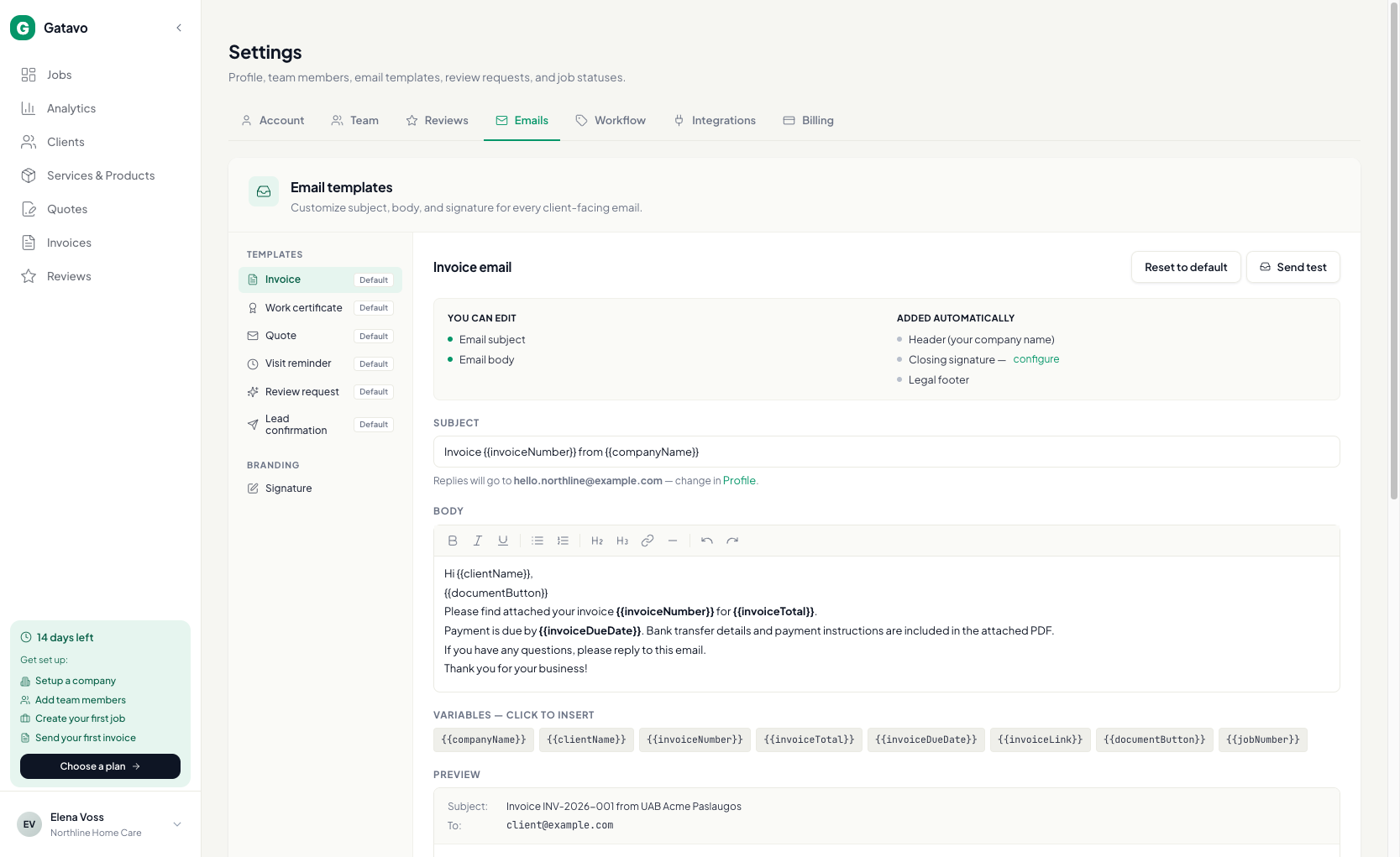
Откройте Настройки → Письма. Переключатель Автоматические письма клиентам изначально включён. Ниже выберите шаблон, измените тему и текст и нажмите Сохранить шаблон.
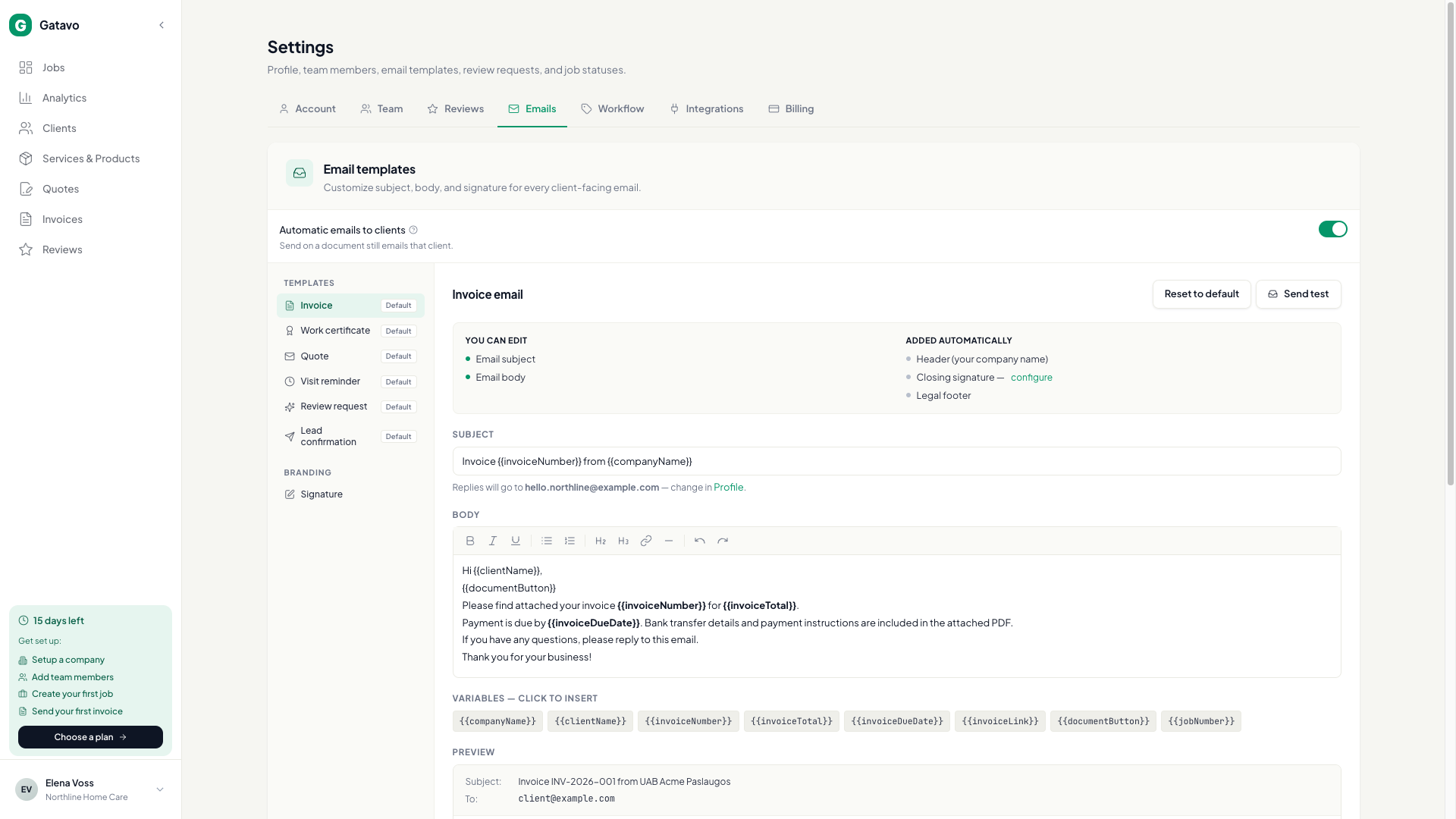
Автоматические письма клиентам приостанавливает автоотправку счетов и актов, напоминания о визите, запросы отзывов и повторные письма, а также подтверждения заявок. Под переключателем написано Кнопка «Отправить» по-прежнему отправляет письмо этому клиенту. Сохранённые задержки остаются и снова применяются после включения. Письма команде отправляются как прежде.
При выключении уже ожидающие письма удаляются. После повторного включения пропущенные письма не отправляются.
Ручное действие Отправить по эл. почте для счёта, акта или предложения по-прежнему отправляет письмо. Запрос отзыва, запущенный вручную, тоже отправляется. Отправить тест по-прежнему отправляет тест вам.
Шаблоны: Счёт · Акт выполненных работ · Предложение · Напоминание о визите · Запрос отзыва · Подтверждение заявки.
- Нажмите на шаблон.
- Измените Тема письма и Текст письма. Нажмите на переменную, чтобы вставить имя или сумму.
- Нажмите Отправить тест, чтобы отправить письмо себе. Затем нажмите Сохранить шаблон.
- Откройте Подпись, чтобы настроить заключительную строку, логотип и Показывать «Powered by Gatavo».
Напоминания о визите отправляются примерно за 24 часа до назначенного времени (см. Когда отправляется напоминание о визите?).