How do VAT and invoice numbers work?
Updated 8 Oct 2026
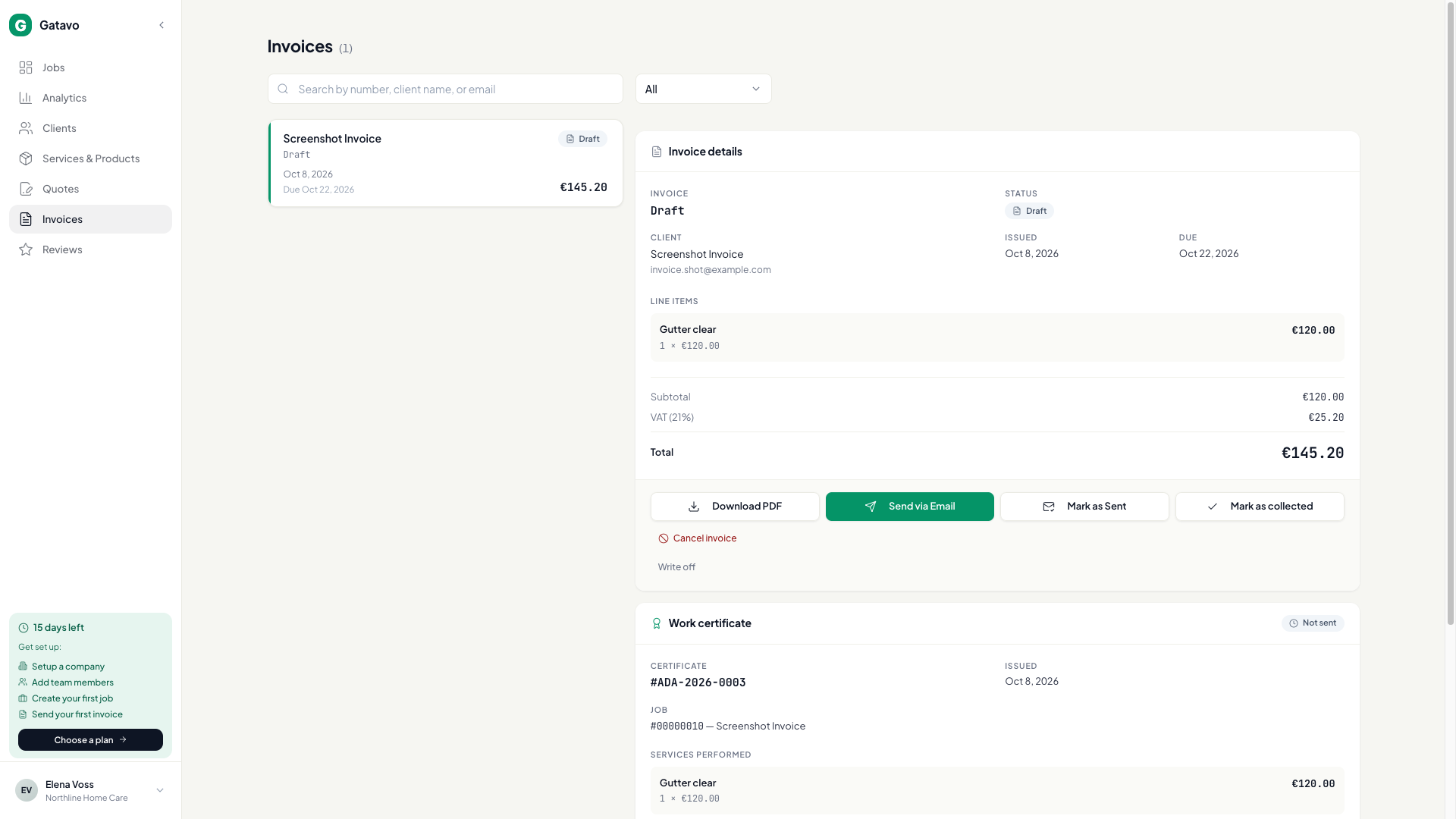
Turn on VAT registered if you charge VAT. The invoice number appears when the invoice is issued — Send via Email, Mark as Sent, or auto-send — not when you only record cash.
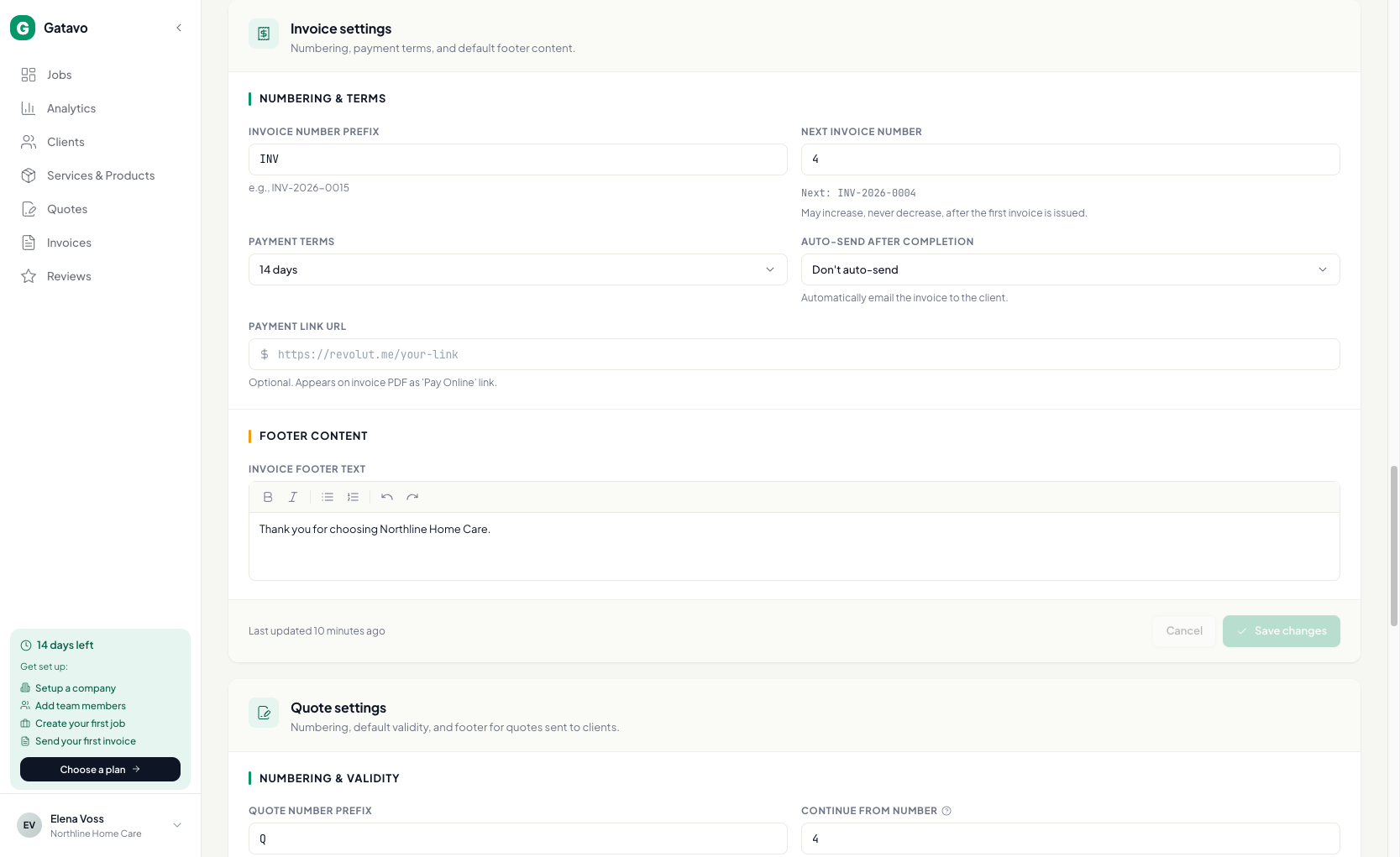
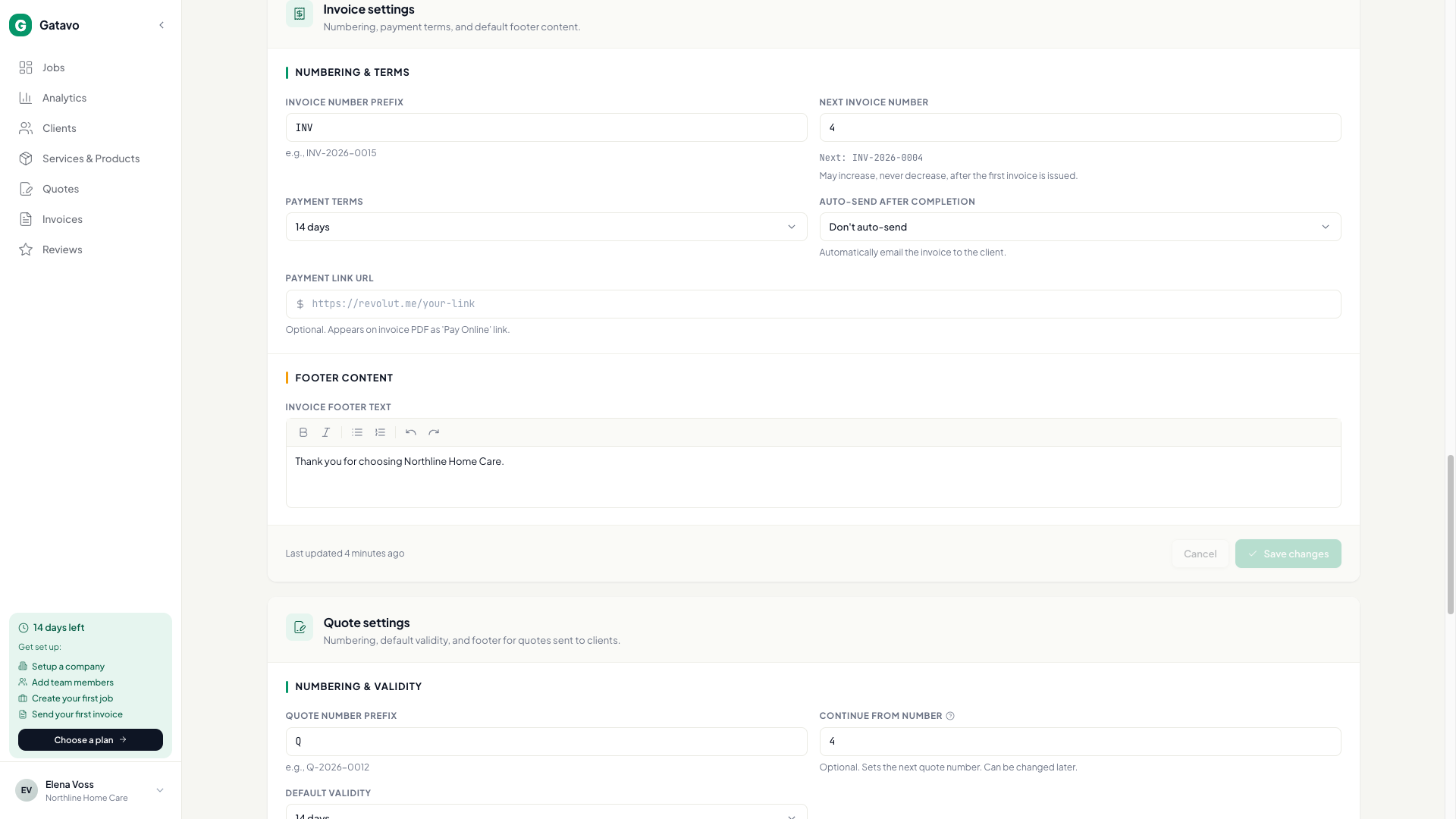
- Settings → Account. Under tax, turn on VAT registered. Fill VAT code and VAT rate (%). Click Save changes.
- Scroll to Invoice settings. Set Invoice number prefix and Next invoice number.
- Complete a job (see How do I start, finish, or cancel a job? / When does an invoice appear?).
- Not Yet (Draft Invoice) — draft, no number yet.
- Yes, Paid — cash is Collected. Still no number.
- Send via Email or Mark as Sent mints the number. Mark as Sent does not email the client.
Income split only
Company-issued documents use this company series. Agent-issued documents use that person’s Next invoice number on Settings → Team. See Who is the issuer on an invoice? and How do I set an agent's share and billing profile?.
Changing the prefix does not rewrite old PDFs.