How do I add another address?
Updated 8 Oct 2026
On the client profile, use the Properties card. Click + Add New Property.
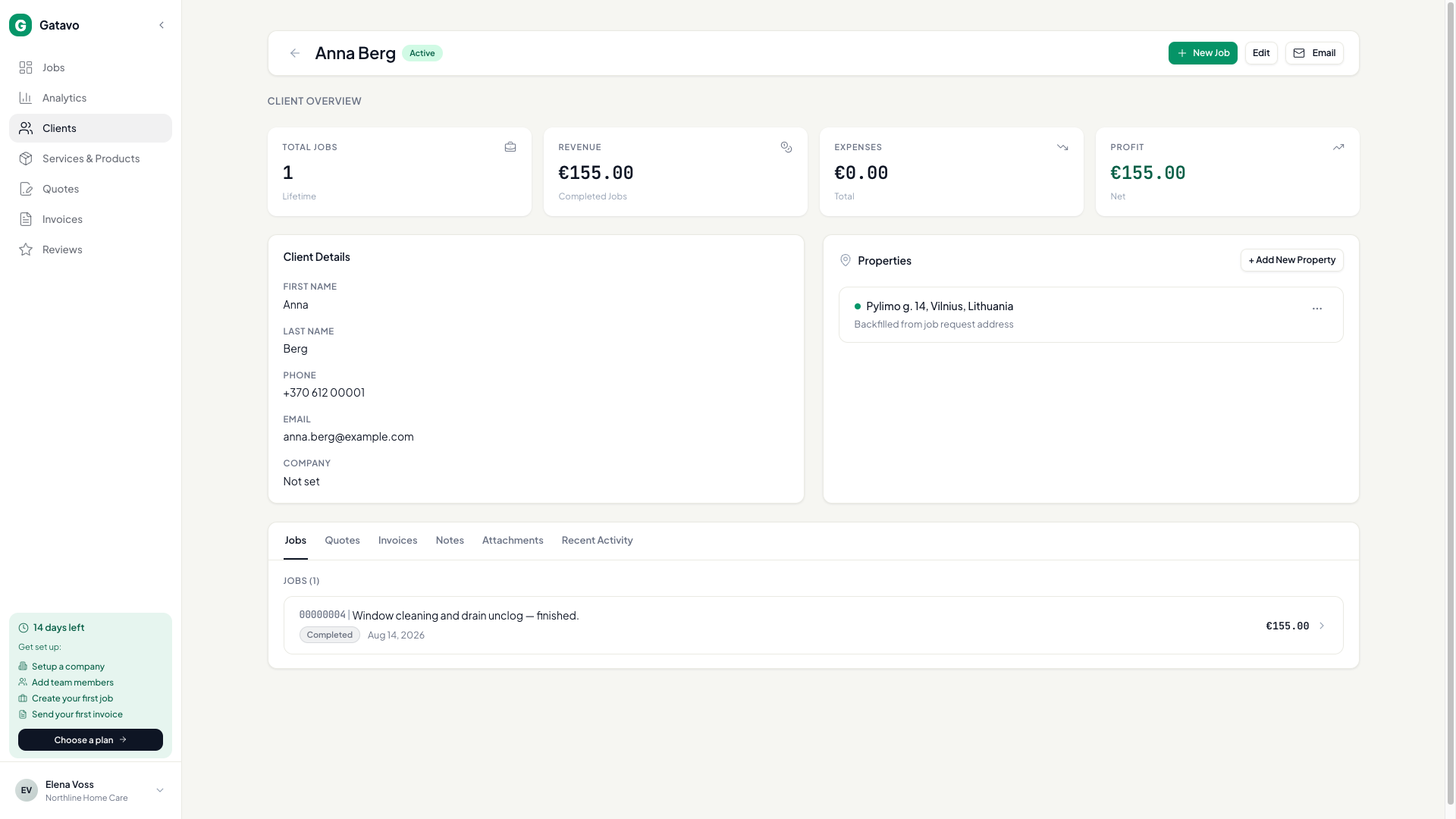
- Open the client (see How do I see a client's history?).
- On Properties, click + Add New Property.
- Fill Address, City, and Country. Notes is optional.
- Click Save Property.
- Use Set as primary if this is the usual site.
When you create a job or quote for this client, you can pick a saved address or type a new one. A new one is saved on the profile.