How do I mark an invoice as paid later?
Updated 8 Oct 2026
Cash and the invoice number are separate. Record cash with Yes, Paid or Mark as collected. Issue the number with Send via Email or Mark as Sent. On an invoice that already has a number, use Mark as Paid.
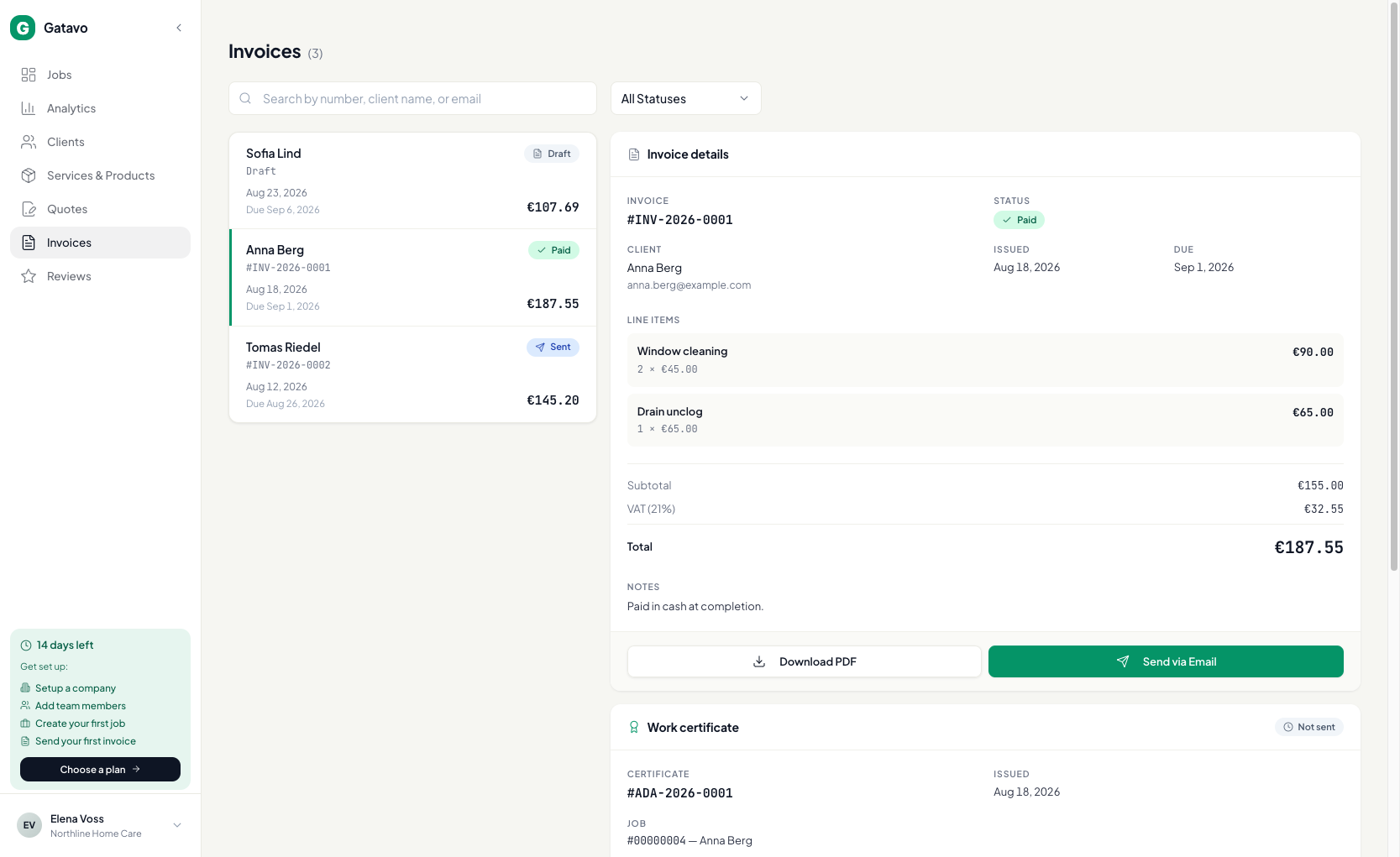
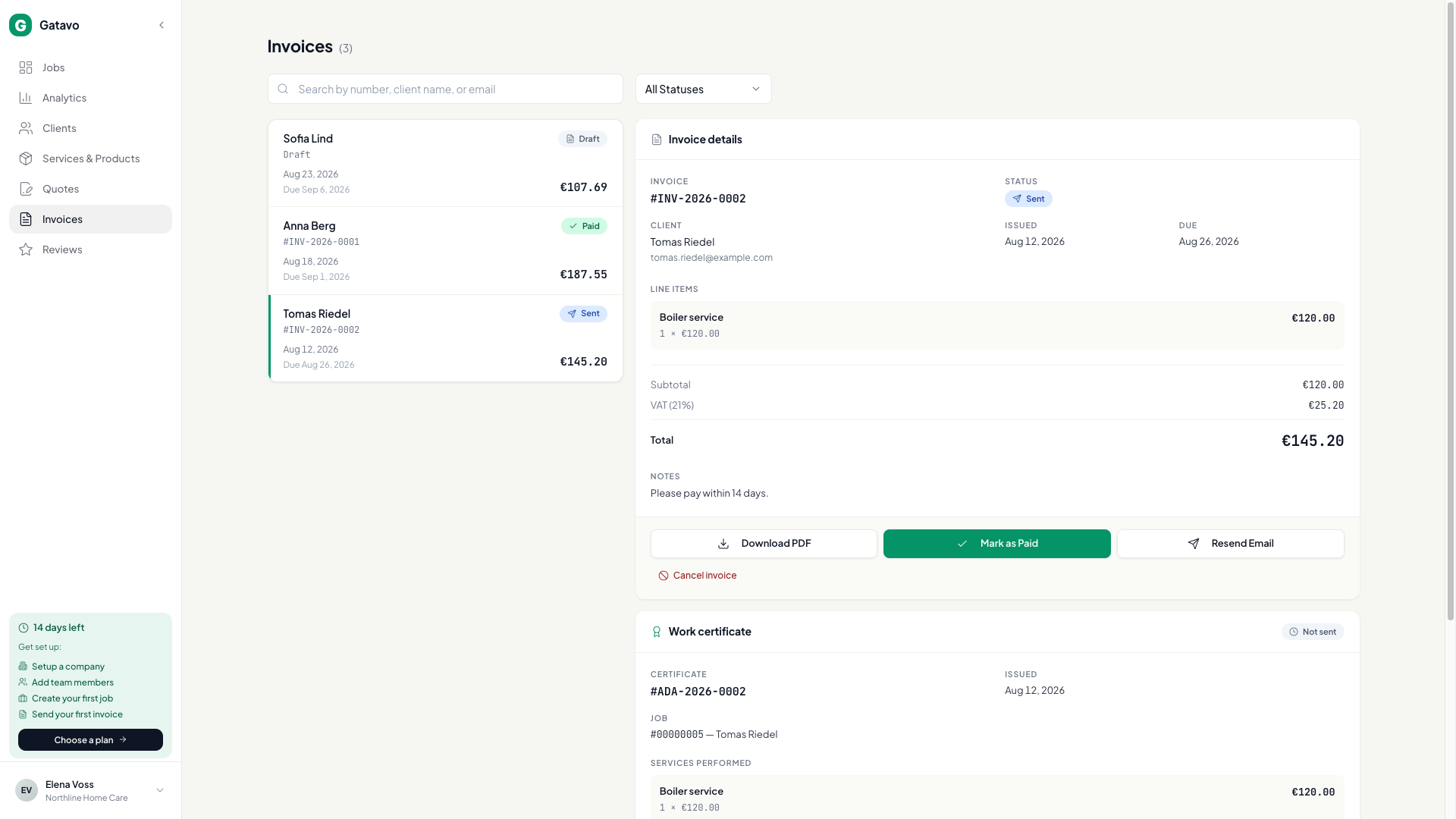
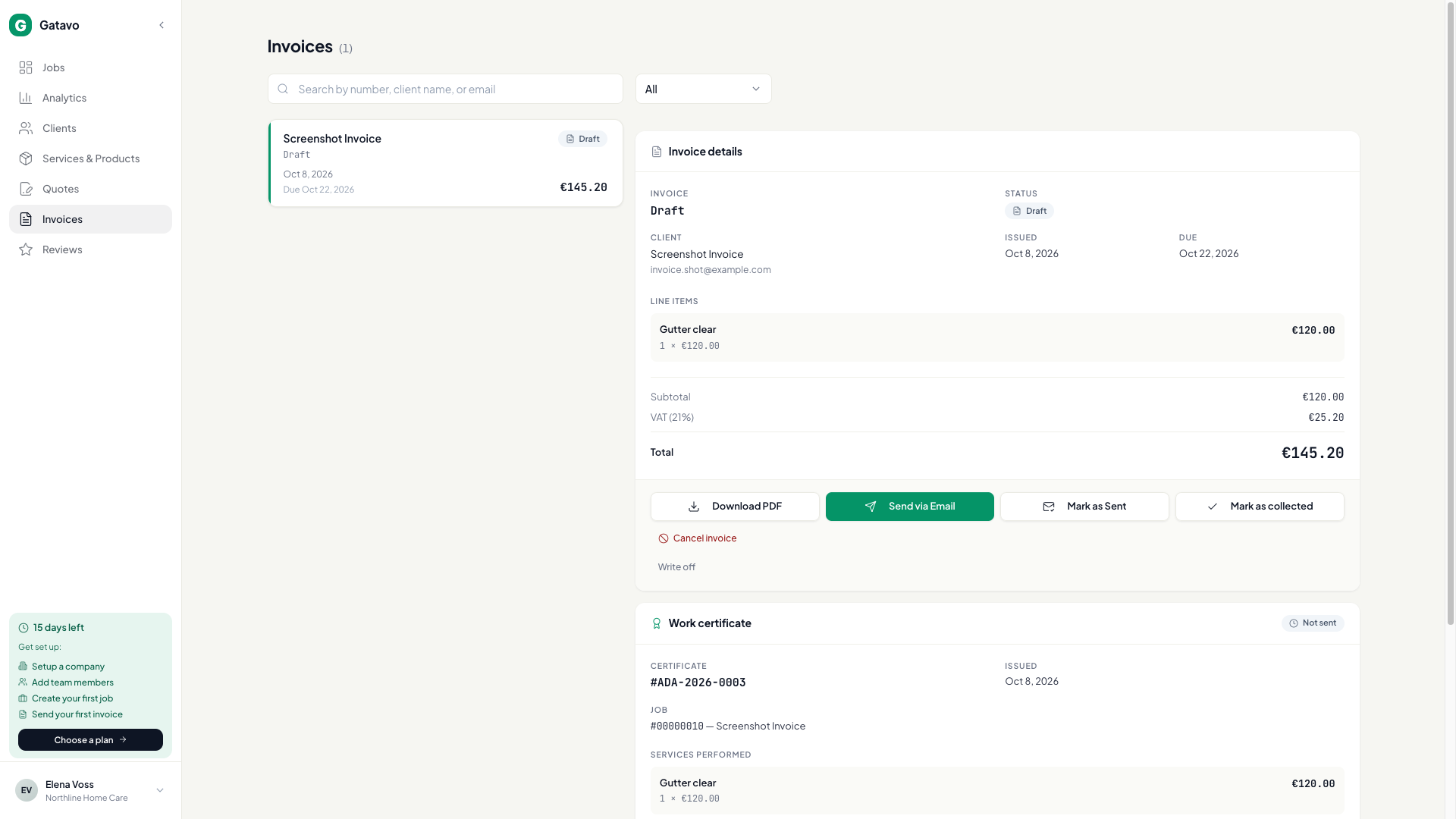
- At complete, Yes, Paid records cash immediately. The job shows Collected · {date}. The invoice is still a draft with no number.
- If you picked Not Yet (Draft Invoice) and the client pays before you issue: open Invoices, open the draft, click Mark as collected. Still no number.
- To give the draft a number without email, click Mark as Sent. If cash was already recorded, the issued invoice is Paid. If not, it is Sent.
- If the invoice is already Sent or Overdue and the money arrives, click Mark as Paid.
- Overdue appears on its own after the due date if it is still unpaid and already issued.
Collected is the cash. Invoiced on Analytics is the issued document. A collected draft counts as collected, not invoiced, until you issue it (see How do I see how the business is doing?).
To undo a mistake, or to give up on money you will not collect, see How do I undo a payment or write something off?.