How do I see a client's history?
Updated 8 Oct 2026
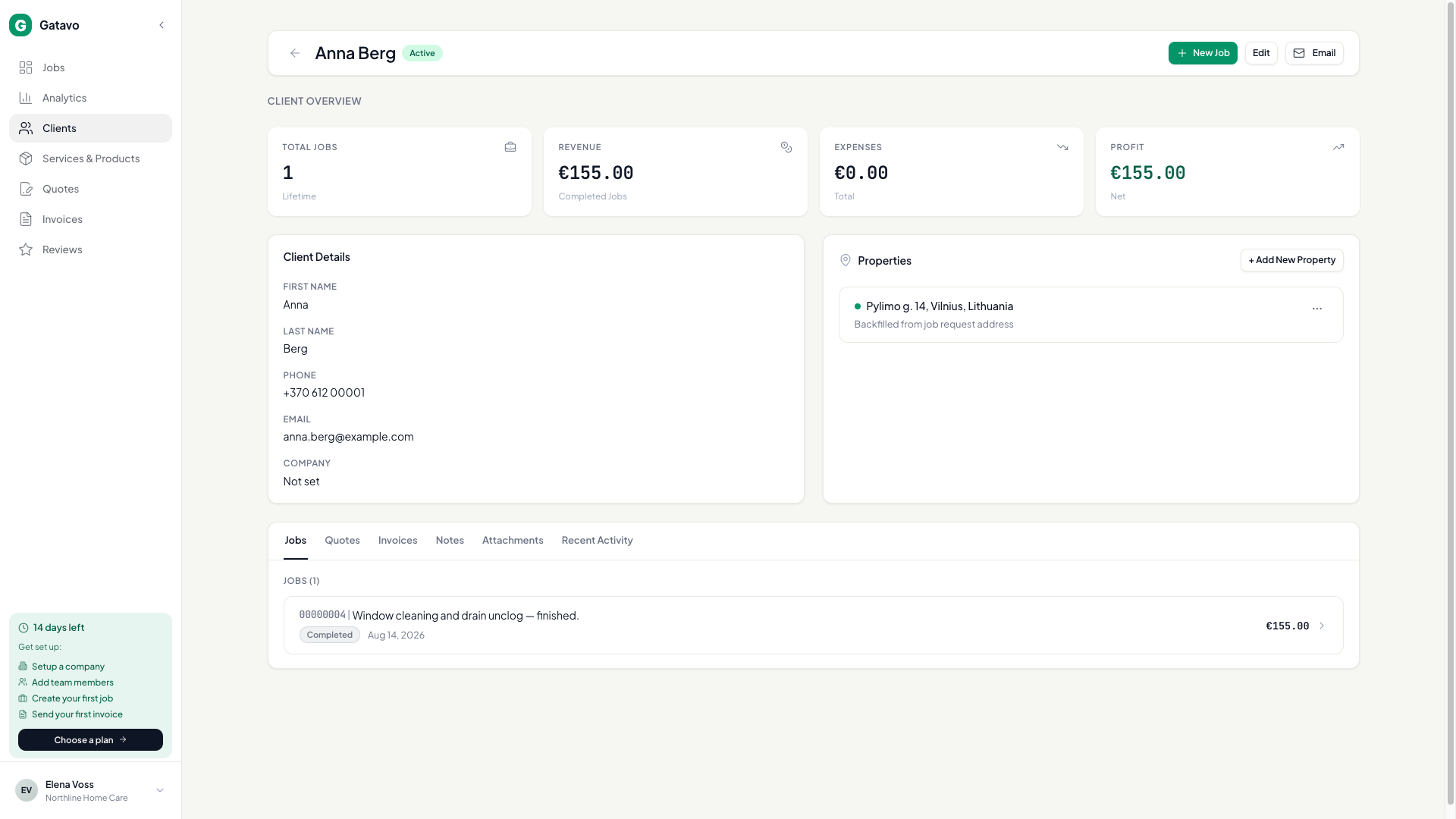
Open Clients. Click the name. The profile has tabs for jobs, quotes, invoices, notes, files, and Recent Activity.
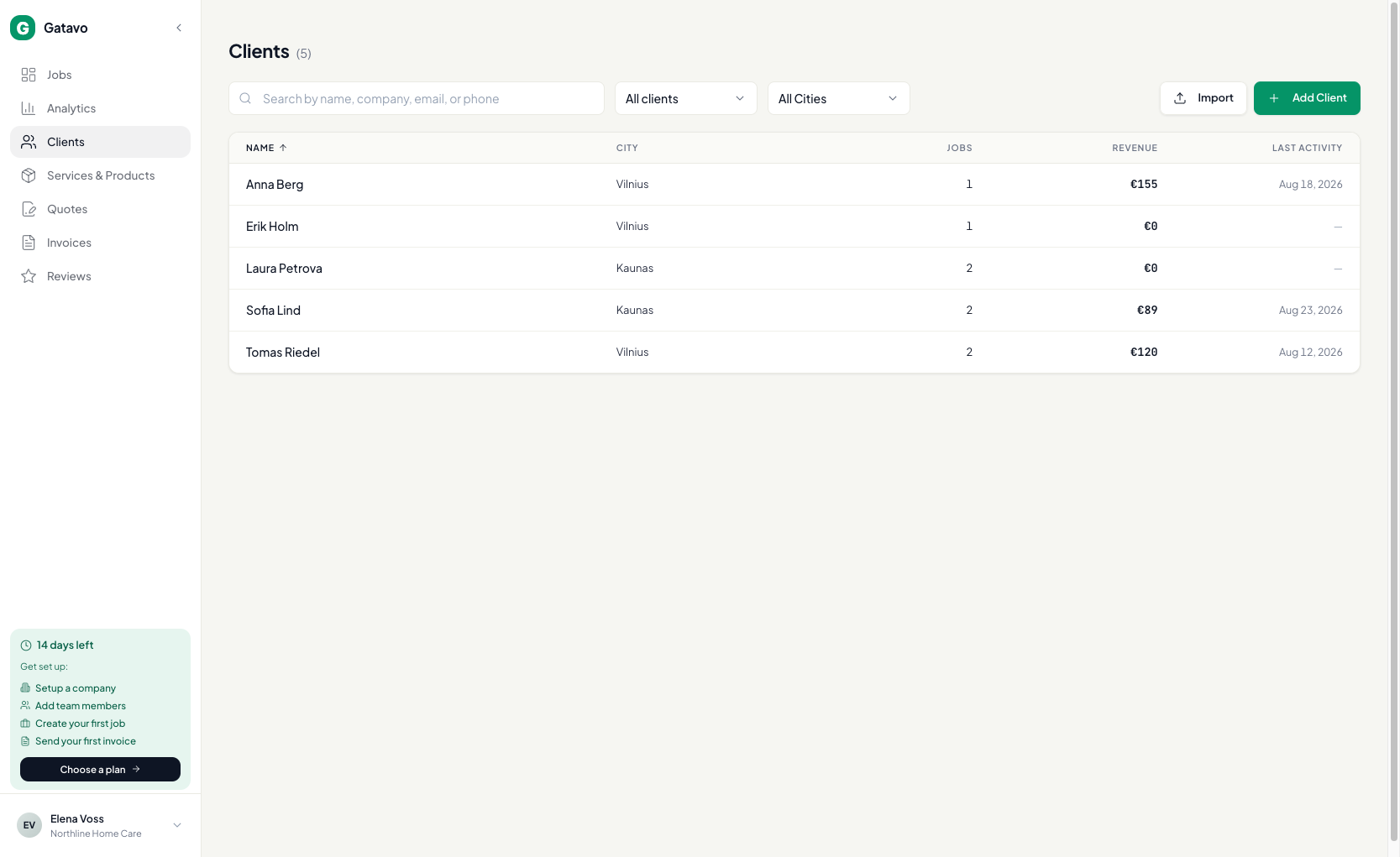
- Click Clients.
- Click the client name.
- At the top you see Active or Prospect, plus Total Jobs, Revenue, Expenses, and Profit.
- Use the tabs:
- Jobs — every job for this person
- Quotes
- Invoices
- Notes — notes on the client (not the job)
- Attachments
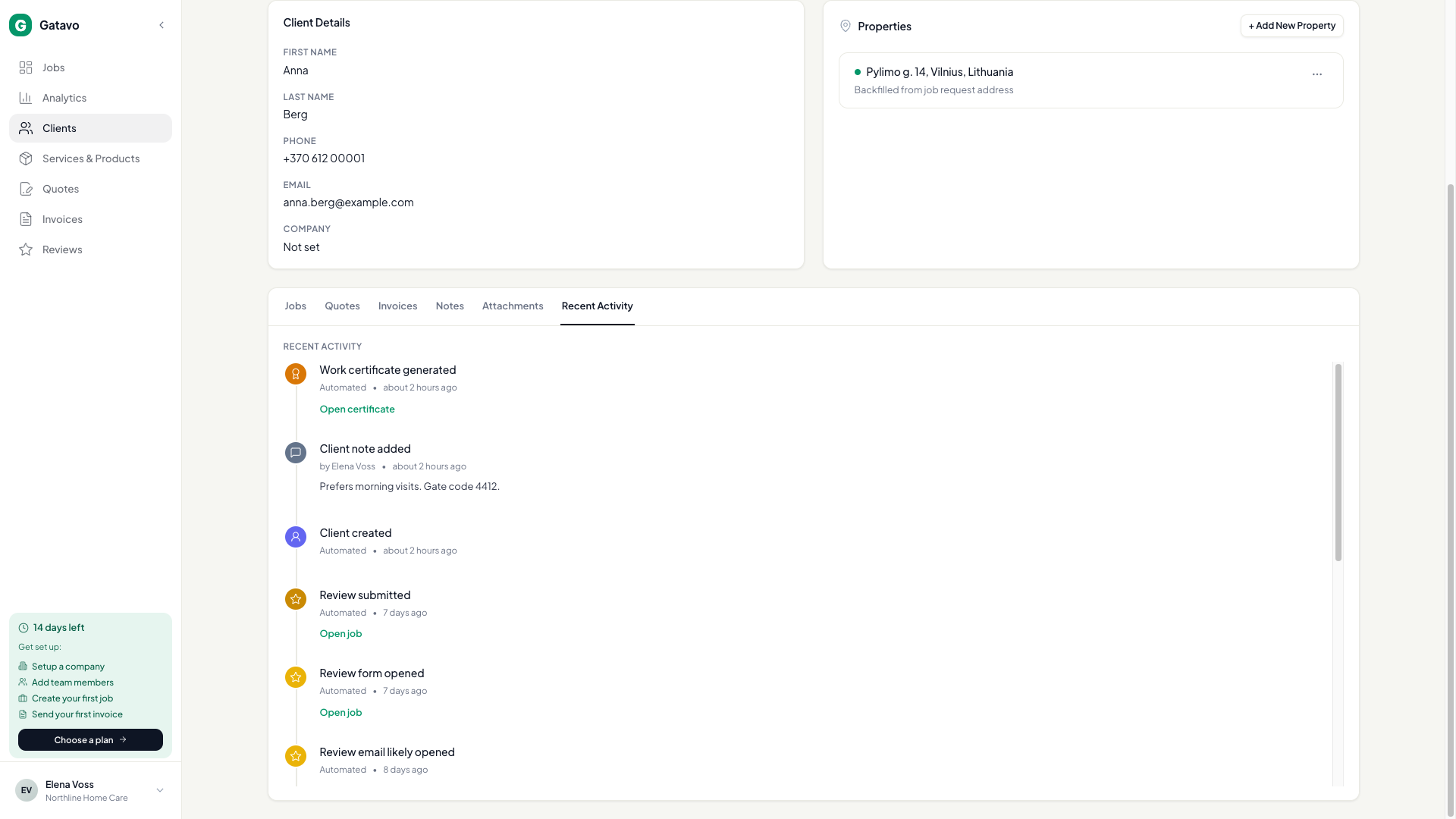
- Recent Activity — one newest-first feed
- On Recent Activity, click Open job, Open invoice, or Open certificate to jump.
- Review email likely opened means a person likely read the mail. Bot and scanner opens are left out.
A prospect becomes Active when you click Start on their first job.
There are two other "history" places. Do not mix them up:
- Recent Activity (this page) — the whole client.
- Client history on a job panel — other jobs for the same person.
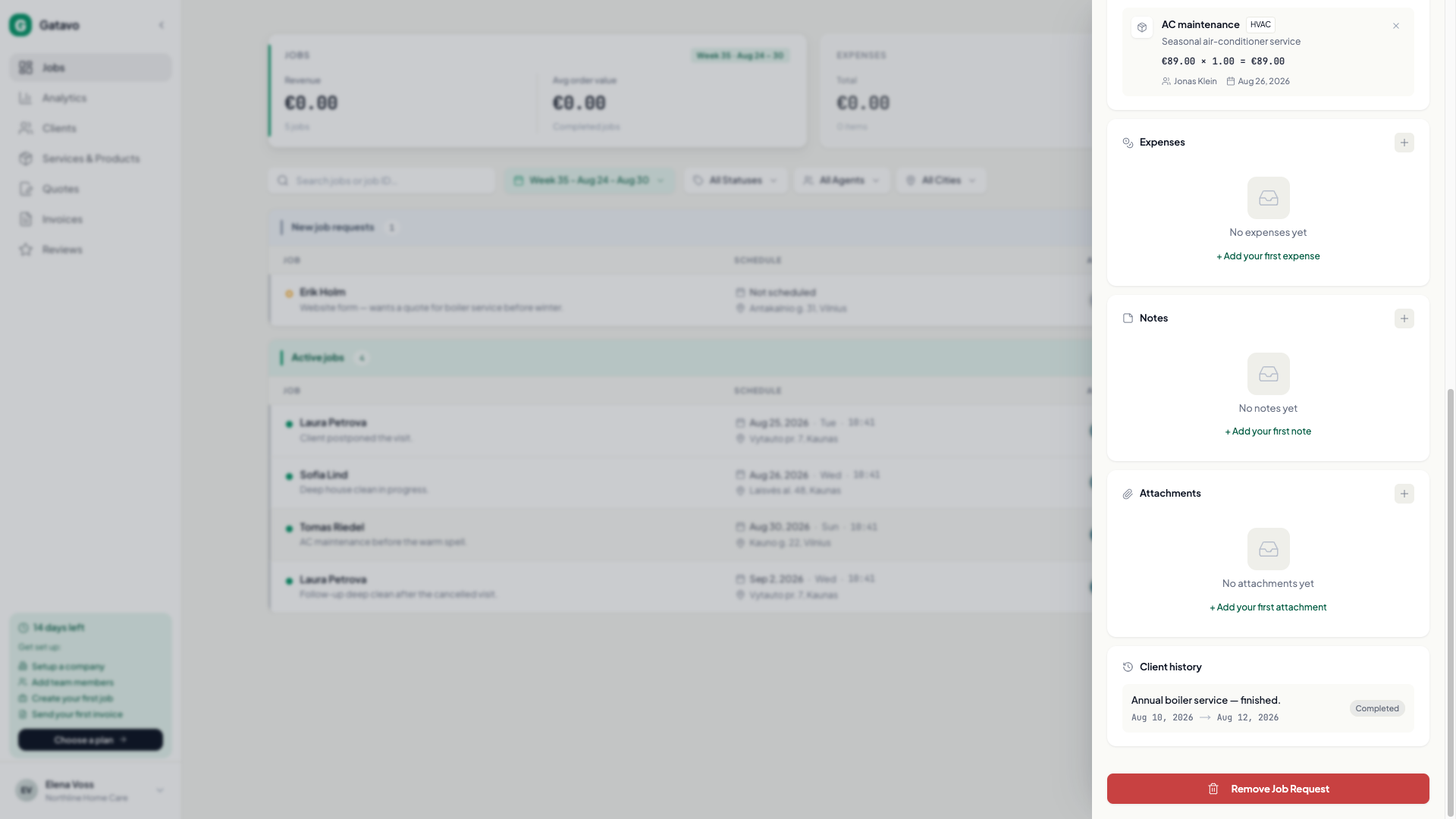
Agents and team leads do not have the Clients list. On a job assigned to you (or, for a lead, to your crew), click View client. That profile opens. Other clients stay closed.