How does a client accept or decline a quote?
Updated 8 Oct 2026
They open the View quote link in the email. They click Accept quote or Decline. They do not need a Gatavo login.
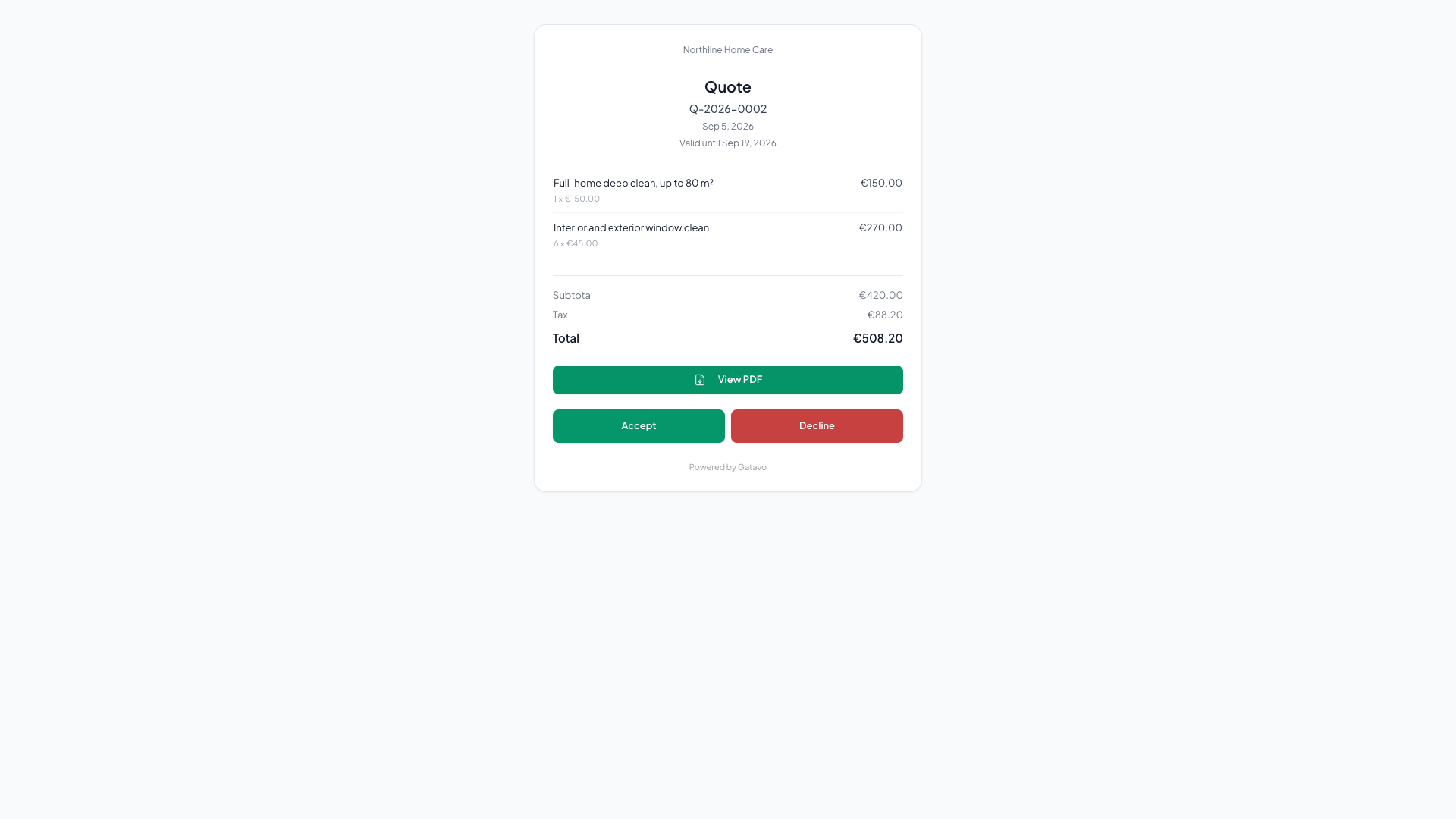
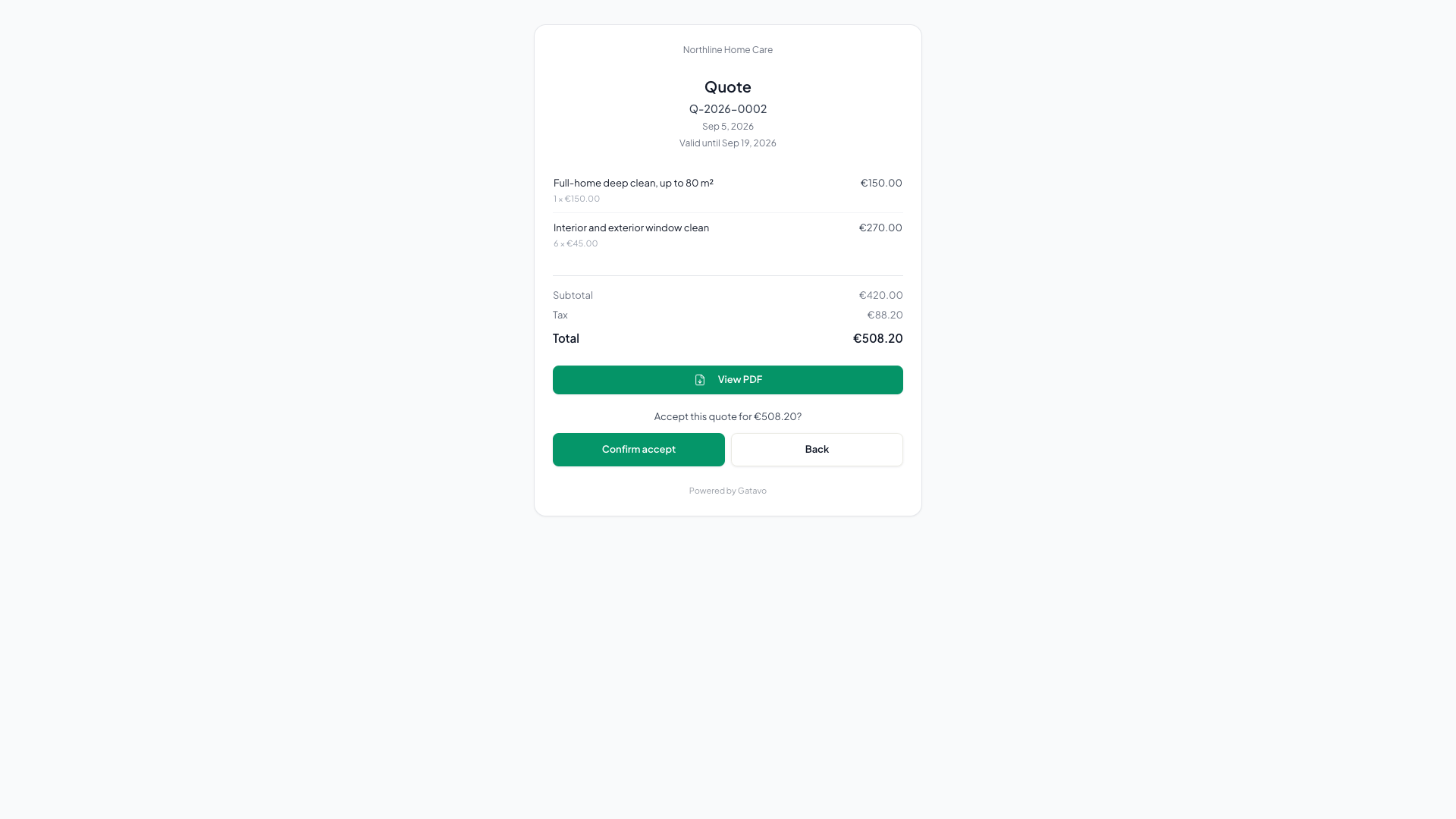
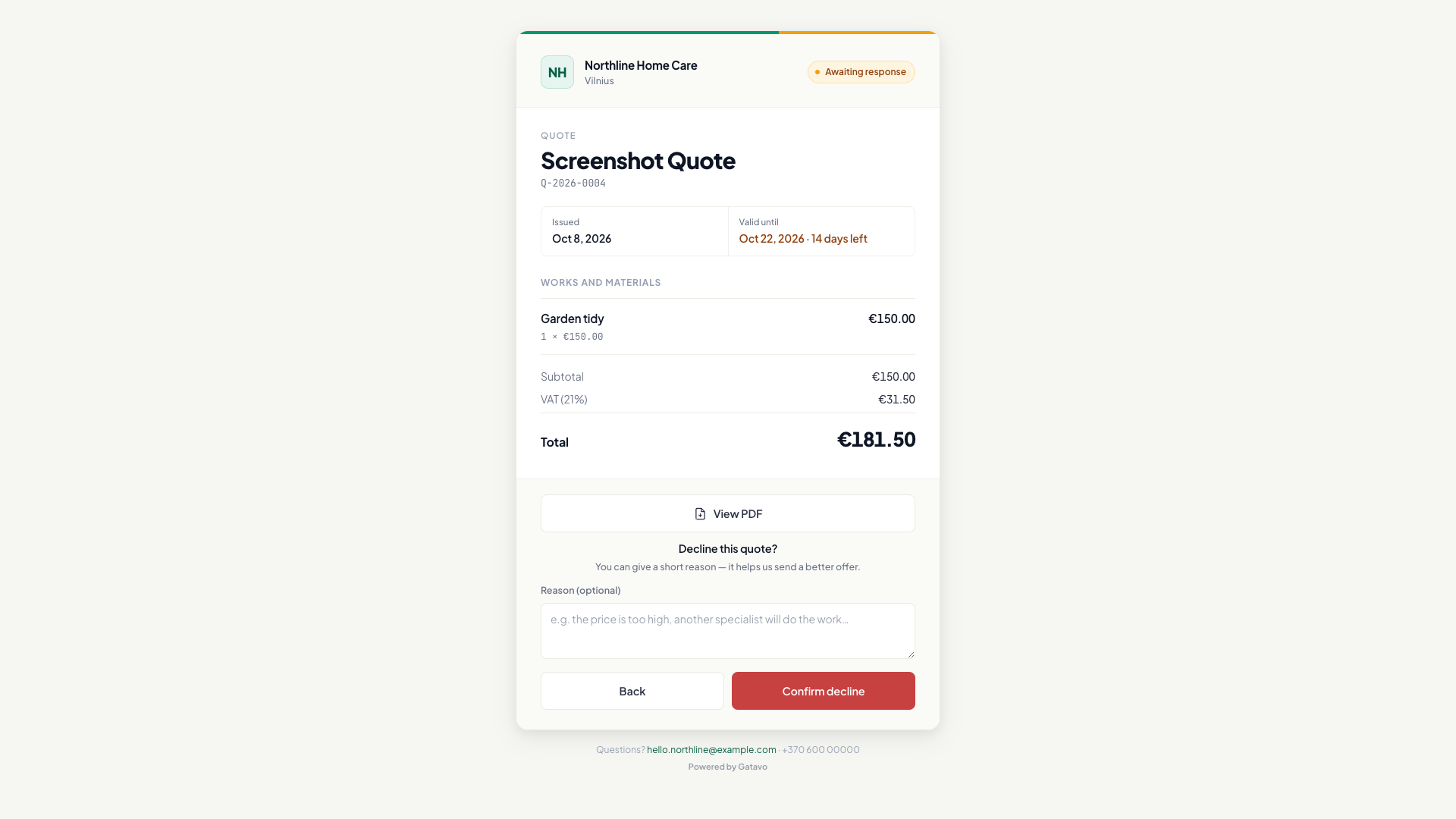
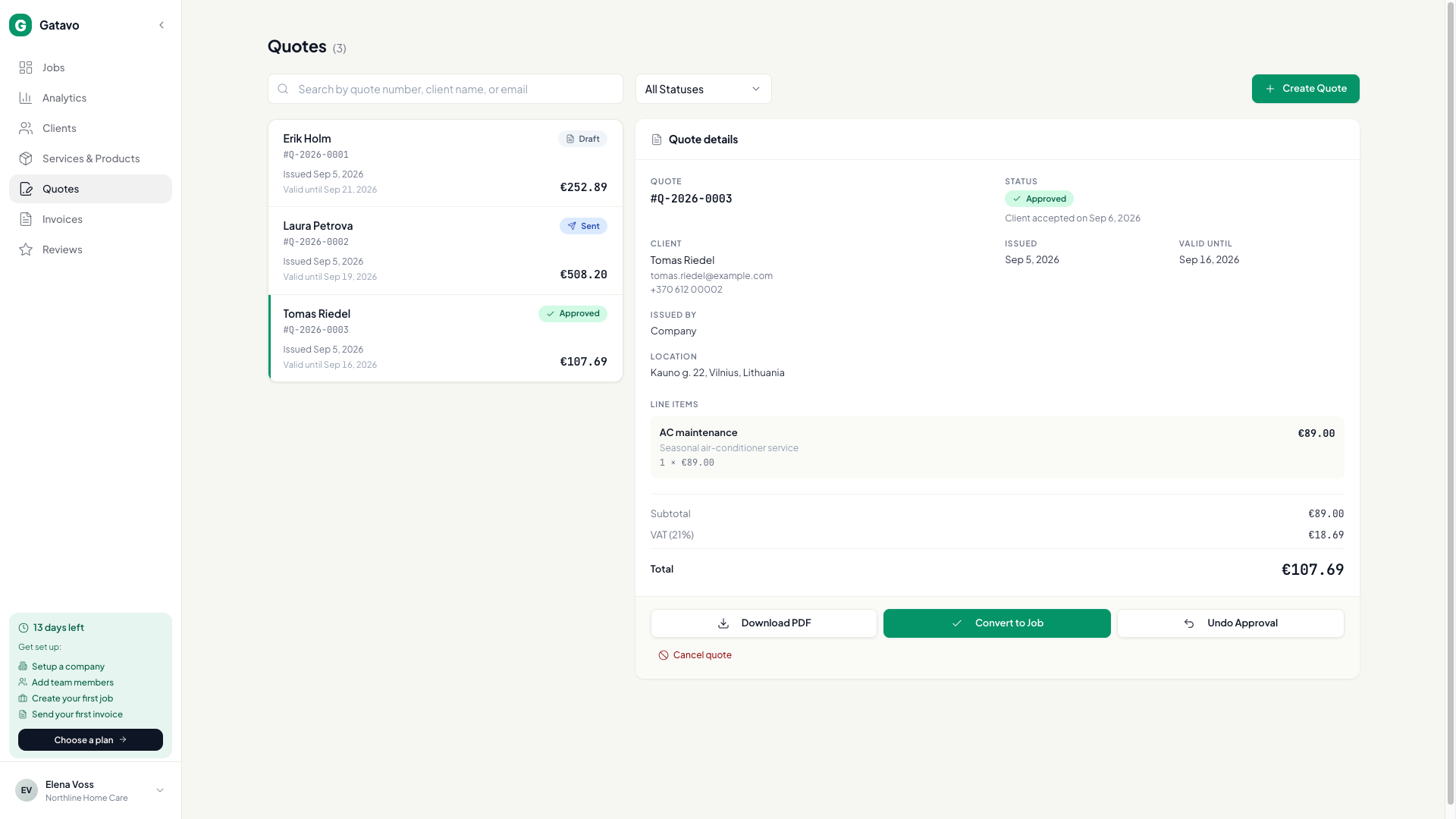
- Send the quote (Send Quote or Send to Client). Status is Sent.
- The client opens the link. They see the quote, View PDF, Accept quote, and Decline.
- Accept quote asks Accept this quote for {total}? The helper says We'll notify the team and get in touch to arrange the work. They click Confirm accept.
- Decline asks Decline this quote? They can fill Reason (optional). The helper says You can give a short reason — it helps us send a better offer. They click Confirm decline.
- The buttons hide. The page says Quote accepted or Quote declined, then You accepted this quote on {date}. or You declined this quote on {date}.
You get an email when they decide. Open Quotes. Under Approved you see Client accepted on {date}. Under Rejected you see Client declined on {date} and, if they typed one, Client's reason. If you marked it yourself, it says Marked approved on {date} or Marked rejected on {date}.
On the client profile, Recent Activity shows Client accepted quote or Client declined quote.
They cannot undo. After Decline, Duplicate as new draft (see How do I send, approve, and convert a quote?). After Accept quote, Convert to Job — the job is not created for you.
The link follows Document language, not the language you see in the app.
If the quote is Expired, Cancelled, or already decided, the buttons are gone. Invoice and certificate links never show Accept quote.
Agents and team leads cannot send or approve quotes.