How do I add an estimated duration?
Updated 8 Oct 2026
On the visit card, or when you add the job, set Estimated duration. It is a planning chip on the jobs list. It is not the timer and it is not on the invoice.
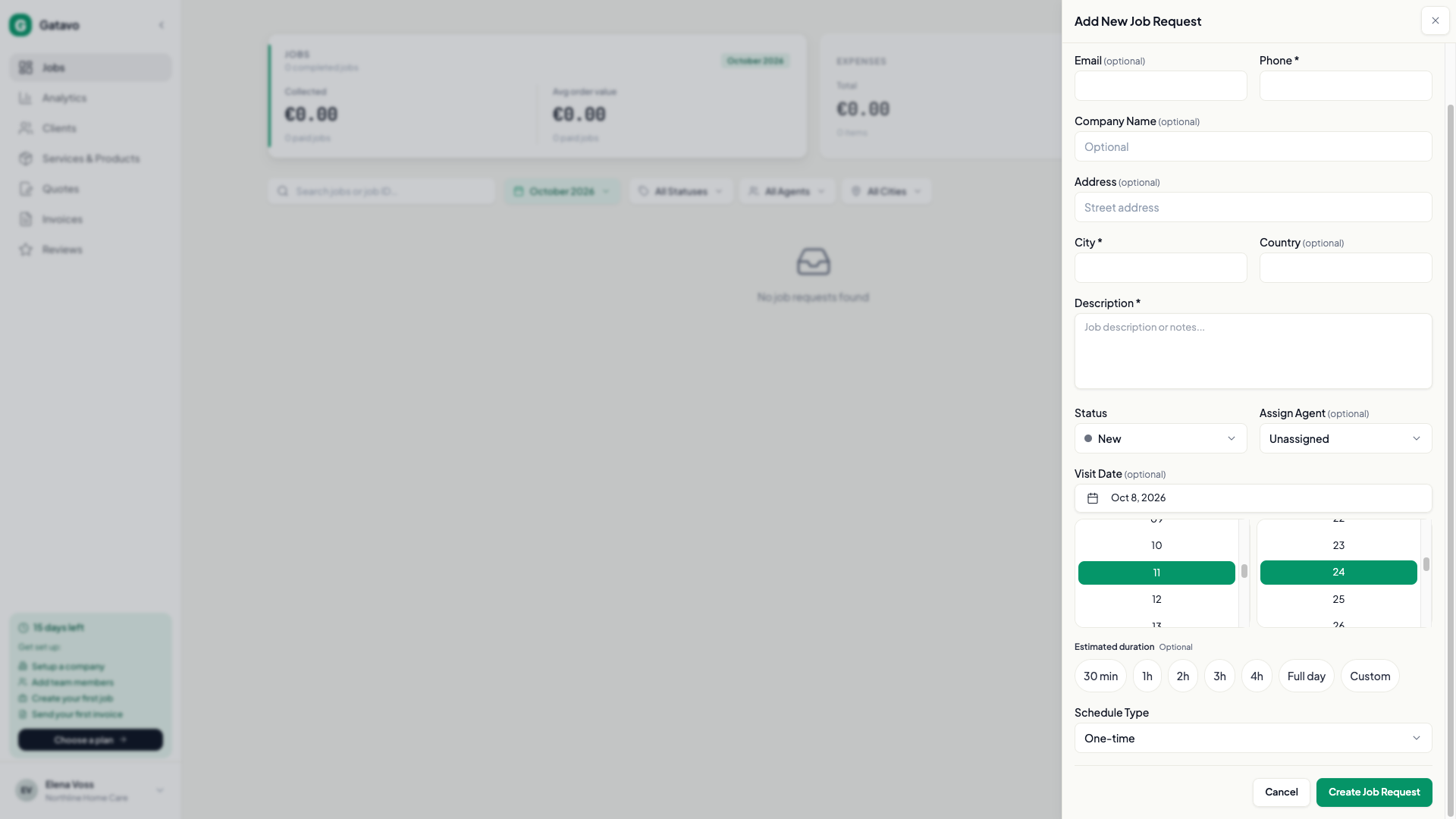
- Open the job, or click Add Job Request.
- Find Estimated duration.
- Pick 30 min, 1h, 2h, 3h, 4h, or Full day.
- Or pick Custom and fill Hours and Minutes. The allowed range is Enter 1 minute to 24 hours.
The jobs list shows a chip, Estimated duration {duration}, even before the visit is booked. Use it so two long jobs on one day are not mistaken for an open day.
It stays if you reschedule, clear the visit, or reopen. The next visit in a repeating series copies it.
It does not bill anyone. Labor still comes from Time tracking and Hourly rate (see How do I track time on a job?). The client does not see this chip on the quote, the invoice, or any email.