How do I set a follow-up reminder?
Updated 8 Oct 2026
Open the job. Click Follow up. Pick a day. Click Set follow-up. It is a reminder for you. It does not book the visit and it does not email the client.
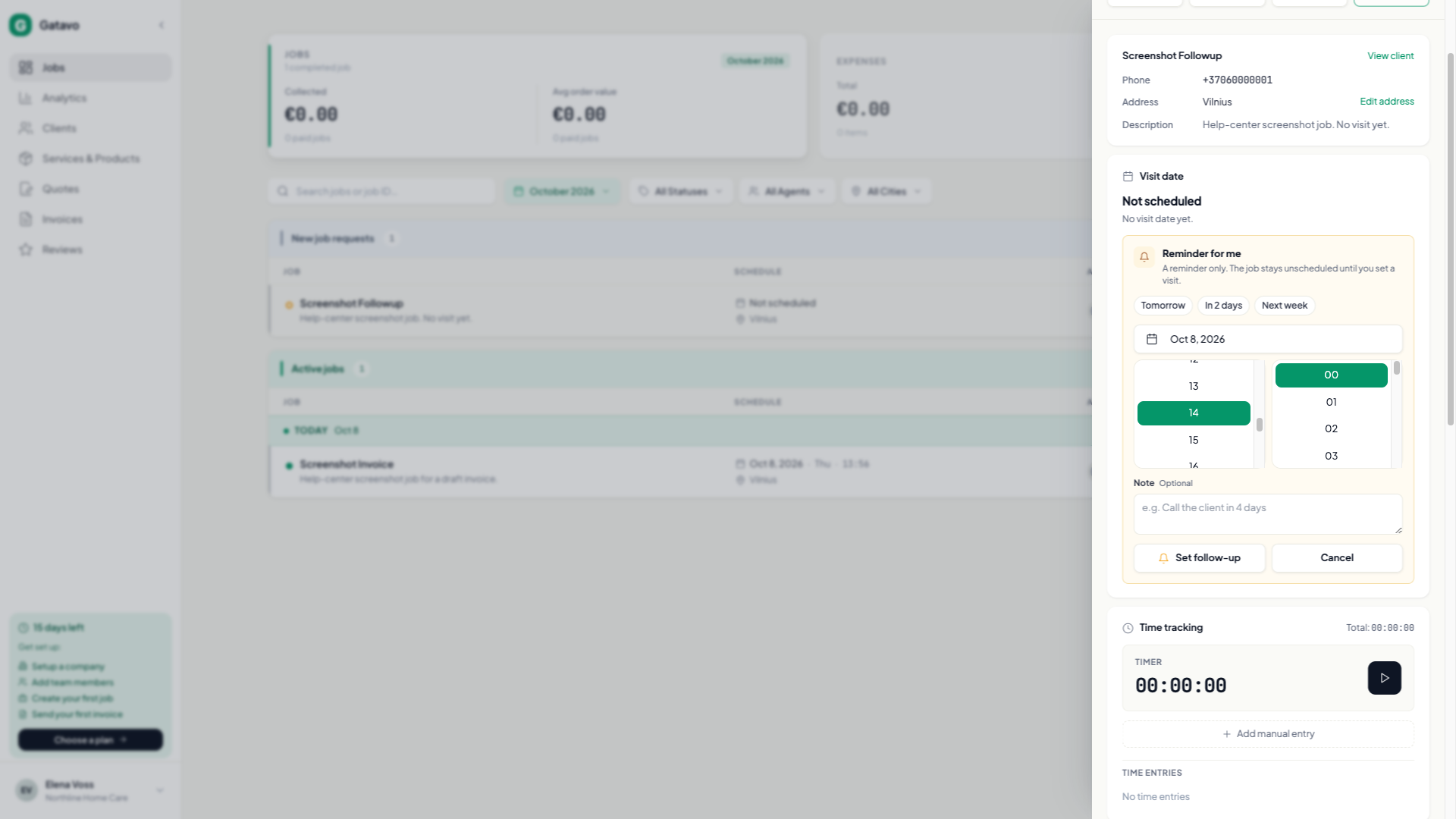
- Open a job that has no visit yet. The visit card says Can't book yet? Follow up sets a reminder.
- Click Follow up. The title is Reminder for me. The line under it says A reminder only. The job stays unscheduled until you set a visit.
- Pick Tomorrow, In 2 days, or Next week, or set Day yourself. Day is required.
- Time is optional. If you leave it empty, the hint says No time set. It shows as due that day.
- Note is optional. The placeholder is e.g. Call the client in 4 days.
- Click Set follow-up.
The job stays New until you set a Visit Date. On the list it sits with Active jobs on the follow-up day, with a small chip. Nobody is emailed. This is not the Visit reminder (see When does the visit reminder go out?).
Later, on the same card: Done, Edit, or Remove. Remove asks Remove this follow-up? The reminder will be cancelled. Click Keep to leave it.
It closes on its own:
- The first time you set Visit Date, history says Follow-up closed — visit scheduled.
- Complete says Follow-up closed — job completed.
- Cancel says Follow-up removed — job cancelled.
Changing a visit that was already booked does not clear a follow-up you added after that. Reopening a job does not bring the reminder back. The next visit in a repeating series does not copy it.